
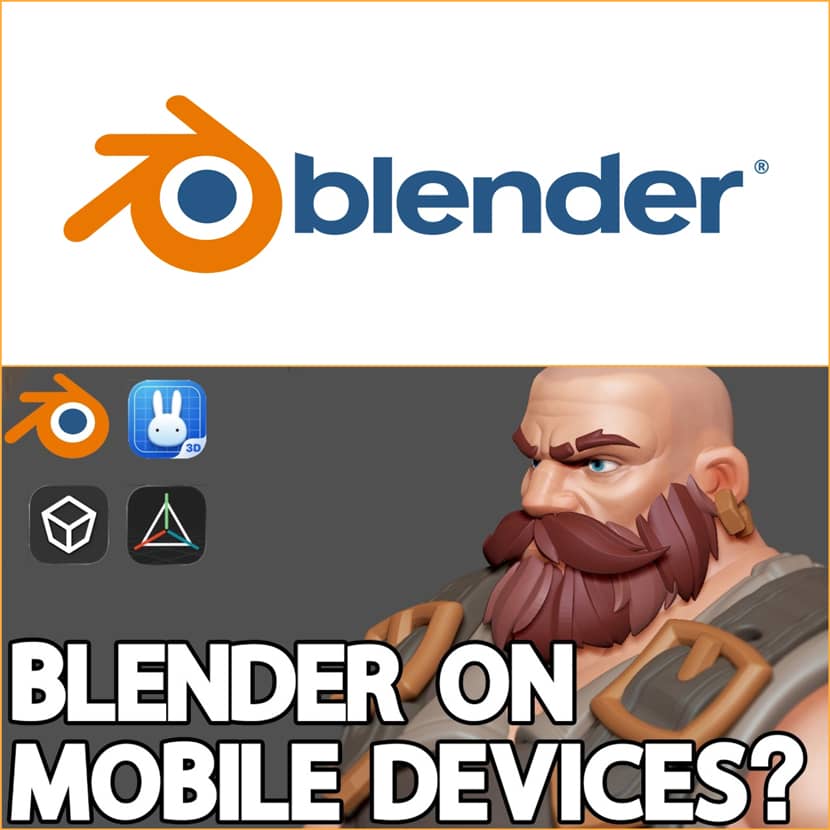
It's no longer a dream to create 3D while on the road. Artists now have more freedom than ever to model, sketch, and even animate—anytime, anywhere—thanks to innovative Blender builds on tablets and unexpectedly potent mobile apps. Let's examine the top iPad and Android 3D modeling apps that are revolutionizing mobile creative!
The Rise of Mobile 3D Creation.
3D artists have been dependent on powerful desktop computers for many years. However, that worldview is gradually changing. The capabilities of mobile devices are increasing, and developers are expanding the possibilities of tablets and smartphones.
Today's mobile 3D apps range from quite basic tools for rapid ideation to more sophisticated platforms that may support whole creative workflows, as the video highlights.
While some are turning into serious production tools that may change the way artists work in the future, others are made to help you rapidly sketch ideas.
Blender on Mobile – A Glimpse Into the Future.
One of the most exciting developments is the experimental effort to bring Blender to mobile devices.
Eevee Pie, an independent developer, has been attempting to make Blender compatible with Android tablets. Even if Blender is still in its early stages, the ability to deploy on mobile hardware is a significant milestone. Although there are still drawbacks including unreliable features, rendering problems, and restricted touch support, basic modeling is already achievable.
Simultaneously, the official Blender development team has investigated a tablet-friendly version, even showcasing seamless performance on M-series chip-equipped devices such as the iPad Pro. But lately, Android experimentation has become a greater focus of development goals.
Although it is not yet suitable for production, this demonstrates a crucial point: It is no longer theoretical to create 3D content on a mobile device!
3D Modeling: Design My Model – Simplicity First.
This program is unique if you're searching for the easiest way to get started with 3D. Instead of overwhelming users with intricate interfaces, it immerses you in a three-dimensional environment where you may use touch gestures to interact with items. Elements may be moved, scaled, and rotated in a way that is almost identical to working with actual things.
It introduces fundamental modeling principles like vertices, edges, and faces despite its simplicity. For novices who wish to grasp the principles without difficulty, this makes it a great teaching tool.
It has nothing to do with accuracy or flawless topology. The goal is to swiftly translate concepts into three dimensions.
Shapr3D – Bridging Simplicity and Real-World Use.
Shapr3D maintains accessibility while providing a more organized method. It enables users to handle geometry in a straightforward but efficient manner by supporting both hard-surface and organic modeling. When it comes to practical uses like 3D printing and product creation, the software excels.
It is a useful tool for processes beyond smartphones because you can export models in formats like OBJ or STL and include them into engines like Unreal or Unity.
It does have certain restrictions, though. It is shallow in comparison to desktop software, and not everyone may find the subscription model appealing.
SketchUp Mobile – Professional Workflows on the Go.
SketchUp brings a familiar and trusted name into the mobile space. This is a serious tool that is frequently used in architecture and design, in contrast to lightweight apps. Its user-friendly workflow—drawing forms and turning them into 3D using push and pull tools—remains intact on mobile devices.
With touch and stylus input on the iPad, the experience feels very natural—almost like using a digital sketchbook.
SketchUp's environment is what gives it its unique power. You may work with others, access a vast asset collection, and sync projects between devices. You may position models in actual settings because to its support for real-world scaling and even augmented reality visualization.
However, advanced functions are still restricted on mobile devices, thus it is not a complete desktop equivalent.
Prisma 3D – A Complete 3D Studio in Your Pocket.
Prisma 3D strives to be a complete creative suite, going beyond modeling. You can control cameras, add lighting, model, animate, and render entire scenes within the program. In essence, it's a streamlined, all-in-one 3D studio made just for content producers.
For artists doing animations, short videos, or social media material, this makes it more alluring. A timeline system can also be used to rig and animate characters.
Prisma 3D is particularly helpful for novices because it walks users through the creative process step-by-step, making it simple to begin designing and animating immediately. It is mobile-friendly and has the feel of a miniature Blender.
uMake – Where Sketching Meets 3D Modeling.
By combining modeling and sketching into a single workflow, uMake adopts a distinct strategy. You start by drawing lines and curves in space rather than beginning with geometry. After that, these sketches are turned into three-dimensional shapes, which gives the process a creative and intuitive feel.
This method is very popular among product designers and architects who need to swiftly envision concepts. Smooth and accurate surfaces are made possible by uMake's internal use of CAD-style modeling with NURBS.
It is appropriate for professional workflows because it exports formats like STEP and STL and supports real-world dimensions. Beyond modeling, it's a potent brainstorming tool that lets you make concept boards, mix references, and sketch over pictures.
Final Thoughts.
Mobile 3D modeling is no longer just a convenience as it’s becoming a legitimate part of the creative pipeline.
Even though the majority of applications still fall short of desktop software's capabilities, they are superior in three crucial areas: accessibility, speed, and flexibility. These technologies open up new creative options, whether you're experimenting with new workflows, presenting concepts in meetings, or sketching ideas while traveling.
And with Blender slowly making its way into the mobile space, the future looks even more promising.
🎥 Watch the full video below:
About InspirationTuts.
InspirationTuts is a well-known YouTube channel dedicated to 3D art, tutorials, software insights, and industry trends. The channel consistently delivers high-quality content aimed at helping both beginners and professionals improve their skills, stay updated with new tools, and explore creative workflows across the evolving world of 3D design..