
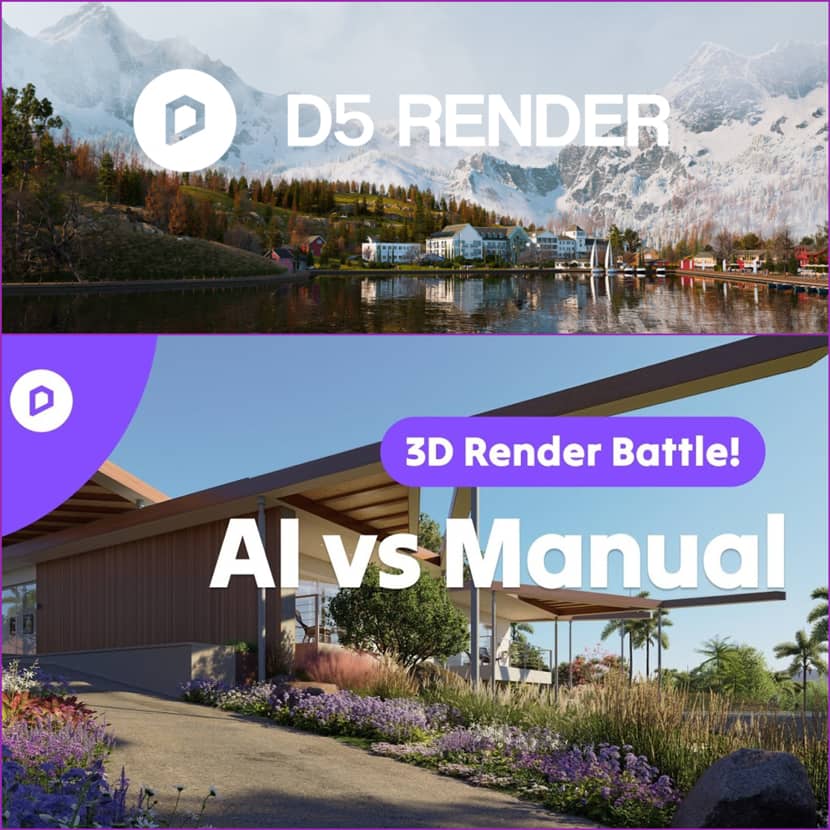
Artificial intelligence is no longer a distant experiment but it is already revolutionizing how artists assemble materials, shape lighting, scatter vegetation, and refine final images. In this article, we take a deeper look at D5 Render’s intriguing provocative demonstration: a direct, time-measured clash between an old-school manual approach and an AI-powered pipeline!
Time is the one resource that architects and 3D artists wish they had more of. As the D5 Render product manager explains, artists shouldn’t be losing nights “endlessly searching for resources or tweaking settings back and forth,” but instead focusing on big ideas and creative vision . With this philosophy, D5 integrated a complete AI system directly into its rendering engine, not to replace the artist, but to act as a co-pilot, designed to “give back your Saturday”.
To test how much time these AI tools can actually save, D5 initiated a simple and powerful experiment: two teams, one project, identical conditions.
- Manual Team: Every step completed by hand, the traditional way.
- AI Team: Allowed to use every smart feature D5’s AI has to offer.
When the clocks stop and the images render, the comparison becomes clear.
1. Material Creation: Hours vs Minutes.
Material development is often a time-sink in any rendering workflow. Finding assets, modifying PBR maps, and creating textures from scratch are all laborious and occasionally exhausting process.
Manual Workflow: The manual crew developed each material the hard way: changing normal, roughness, and height maps one by one, or browsing endlessly through a large library to find the ideal wood, brick, or stone texture. It's incredibly slow, but comprehensive.
AI Workflow: The AI team employed tools like AI PBR Material Snap. The AI produced flawless, superior PBR materials in real time using just one reference image. No altering of maps by hand. No library seeking. If a texture appeared soft, AI Ultra HD Texture restored clarity instantly. The AI team took minutes to complete a task that typically takes hours.
2. Lighting, Mood & Atmosphere: Precision vs Instant Match.
Emotion is defined by lighting, yet it takes skill and time to manually adjust HDRIs, geosky controls, fog, exposure, and contrast.
Manual Workflow: Careful adjustments: sky position, light intensity, natural shadows, atmospheric layers, and every post-processing parameter by hand. Creative, yes, but also meticulous and slow.
AI Workflow: The team just uploaded a reference image, such as a foggy morning, a sunny day, or a dramatic gloomy sky, using AI Atmosphere Match. The AI automatically replicated the atmosphere, lighting, and mood in a matter of seconds. Instant ambiance, zero guesswork.
3. Vegetation Workflow: Research vs Automated Ecology.
Landscapes often create the strongest emotional impact for clients, but an accurate vegetation placement could be one of the slowest parts of a scene.
Manual Workflow: Manual artists had to research the local environment, confirm regional plant species, source models, and hand-place vegetation. For landscape specialists this is expected, but for architects on a deadline, it’s a large investment of time .
AI Workflow: D5’s AI agent handled everything. By simply providing the project location and desired plant characteristics (color, style, flowering or non-flowering, density, etc.), the AI generated a complete, biologically accurate vegetation plan in seconds. Using AI Autoscatter, the entire planting design was applied instantly — still editable, still artist-controlled, but without a lot of research.
4. Post-Production: Software Hopping vs One-Click Enhancement.
Manual Workflow: Once the render finished, the manual team exported the image and moved to external software to fix details, polish sharpness, and refine character models which is obviously another time-consuming process.|
AI Workflow: The AI team stayed inside D5 and used AI Enhancer and AI In-Painting. The system automatically upgraded material detail, vegetation sharpness, and human models — with no need to switch tools or export assets again and again.
5. Style Exploration: Seasonal Tweaks vs Instant Transformation.
Seasonal variations are frequently requested by clients, but it can be time-consuming to manually alter the weather, ambiance, and leaf colors for each version.
Manual Workflow: Every seasonal variation requires manual adjustments from scratch: foliage hues, snow or rain settings, sun intensity, clouds, and more.
AI Workflow: The AI team used AI Style Transfer to quickly change the scene to any season (autumn, winter, summer, or spring) with a single button click. This allows artists unequaled adaptability when clients ask, “Can we see a winter version too?”.
The Final Results: Speed Meets Creativity.
The numbers speak for themselves:
Manual Team: 20 minutes 28 seconds
AI Team: 6 minutes 51 seconds
A 63% time reduction which achieved without compromising creative control. According to D5 Render, the message is clear: artists can finally stop wasting time on repetitive tasks and focus on what truly matters, the design.
Conclusion.
The goal of the conflict between AI and manual workflows is to improve human competence rather than replace it. D5’s experiment proves that AI-powered rendering doesn’t diminish artistic vision; it accelerates it. D5's AI solutions provide a real productivity boost for freelancers managing deadlines, architects requiring quick visual iterations, and studios under duress.
Artists who learn to work with these systems will be able to produce more ambitious work, move more quickly, and iterate more freely as AI gets more thoroughly incorporated into rendering workflows.
🎥 Watch the full video below:
About D5 Render.
D5 Render is a real-time rendering software company dedicated to empowering architects, designers, and 3D artists with fast, intuitive, and visually stunning workflows. Combining cutting-edge rendering technology with advanced AI tools, D5 focuses on eliminating repetitive tasks and allowing creators to stay focused on design. With features such as AI materials, atmosphere matching, vegetation intelligence, and one-click post-production enhancements, D5 Render continues to lead innovation in the real-time visualization industry.