
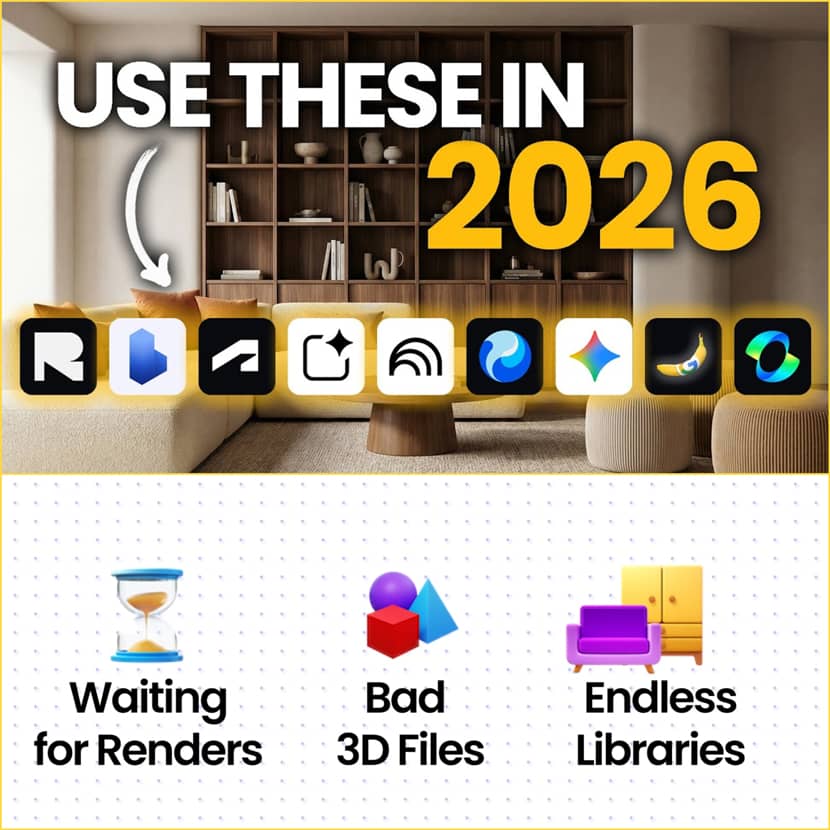
In this article, we explore Renderdrop's latest breakdown with nine essential tools that form a future-ready workflow, one that blends design intuition, real-time data, AI assistance, and cinematic presentation into a single and fluid pipeline!
The role of architects and 3d artists is evolving quite fast. Repetitive manual tasks, disconnected software, and lengthy render times are becoming things of the past. In 2026, intelligent, networked tool stacks that reduce weeks of work to days or even hours will characterize competitive architectural practices.
1. Rayon - Collaborative CAD Without the Friction.
Rayon closes a long-standing gap between heavy CAD/BIM software and rapid drawing. It operates fully within the browser and enables architects to collaborate in real time with customers or colleagues through a straightforward link while producing accurate floor drawings.
Rayon's clever tables and designs are what really make it stand out. Without using Photoshop, a technical black-and-white drawing can be quickly transformed into a textured, shaded presentation layout. It integrates easily into conventional pipelines and significantly speeds up the early stages of design with full DWG and DXF import/export capability.
2. Spacio - Data-Driven Massing From Day One.
Spacio redefines how early-stage massing is approached. Spacio shows important metricssuch as floor area ratio, gross floor area, sun exposure, and wind comfort, and all this in real time as you create the building, as opposed to planning first and confirming later.
By ensuring that conceptions are buildable from the start, this method saves countless hours that would otherwise be spent fixing non-compliant designs later on.
3. Autodesk Forma - Site Intelligence Meets BIM.
Autodesk Forma is excellent at understanding the context, whereas Spacio concentrates on the building. Forma facilitates extensive site study, from operational energy estimates to microclimate and noise propagation, by providing quick access to high-resolution topography, neighboring buildings, and infrastructure practically anywhere in the world.
Integration is where its true strength resides. The unpleasant remodel-everything phase that architects are all too familiar with is eliminated when a single click puts the evaluated concept straight into BIM software with native walls, floors, and topography.
4. Google AI Studio - Architects as Tool Makers.
Architects today are becoming tool makers rather than merely software consumers. Google AI Studio enables the development of functional web applications using advanced AI models, without requiring full-stack development skills.
AI Studio transforms automation into a reusable resource for the whole team, from internal dashboards that monitor apartment openings in real time to node-based AI workflow managers that store and share intricate prompt chains.
5. Notebook LM - Research Without Hallucinations.
When it comes to rules, standards, and compliance, accuracy is crucial. Notebook LM distinguishes itself by firmly basing each response on the materials you cite.
It becomes a trustworthy, private information base when you submit documents, articles, or even your own transcripts. When paired with its deep search agent, it performs the functions of a specialized research assistant, scanning the web, reading sources, and producing structured reports supported by actual references.
6. Gemini - The Daily AI Glue.
Gemini serves as the workflow's connective tissue. In addition to providing basic support, its custom "gems" enable architects to develop specialty personas, such as image-prompting specialists who are educated to use reference photos to reverse-engineer lighting, camera angles, and material arrangements.
This feature enables quick concept production with exceptional visual precision by converting inspiration from websites like Pinterest or ArchDaily into exact, reusable prompts.
7. Hunyuan 3D - AI Assets That Actually Work.
Usable geometry has been one of the main drawbacks of AI-generated 3D objects. This is resolved by Hunyuan 3D's component-aware mesh generation, which enables the separation and refinement of cushions, legs, and structural components separately.
This provides quick native texturing for backdrop objects when speed is more important than accuracy, making the assets production-ready and ideal for high-end rendering pipelines.
8. Nano Banana Pro - Image Editing Without Re-Rendering.
High-end graphics now relies heavily on Nano Banana Pro. It allows for quick furniture swaps, material modifications, style transfer from reference pictures while maintaining original geometry, and even the conversion of hand sketches into crisp CAD drawings.
It significantly cuts down on iteration time, often completely removing the requirement to reopen 3D software, from lifelike 3D floor plans to creative site layouts and smooth outpainting for social media formats.
9. Kling 2.6 - Motion.
Static images may sell ideas, but motion sells emotion. Kling 2.6 leads AI video generation for architecture with precise start-frame and end-frame control.
By interpolating between key renders, it can replace hundreds of traditionally rendered frames with a handful of images. Beyond camera moves, it handles physics-like effects: moving curtains, shifting shadows, water reflections, and even animated people that bring scenes to life.
Final Thoughts.
The idea is to let AI do the tedious, repetitive tasks so architects and artists can concentrate on the things that really matter: spatial intelligence, storytelling, and high-quality design.
Another assumption is that a small studio seems capable now to produce solutions that formerly needed a full team, faster, smarter, and with more creative freedom.
Of course, we are still working on a hybrid workflow combining old and new tools all together. A logical question for example could be: "Are there limitations with tools like Kling comparing to the traditional rendering workflow?"
The answer is YES and it’s important to understand these limitations clearly, especially if you’re comparing tools like Kling to a traditional DCC-based rendering workflow (3ds Max, Blender, Cinema 4D, V-Ray, Corona, etc.). AI video tools are powerful accelerators, not full replacements.
Key limitations (epigrammatically):
- Physical accuracy: Lighting and reflections are inferred, not physically calculated.
- Camera precision: Motion is interpreted; no frame-perfect camera paths.
- Geometry fidelity: Risk of subtle deformation or hallucinated details.
- Material consistency: Textures and patterns may drift between frames.
- Revisions: Changes are approximate, not surgically precise.
- Scalability: Best for short clips; long sequences can lose consistency.
- Client & legal acceptance: Not always suitable for formal approvals or technical validation.
Used wisely, tools like Kling multiply speed and impact, but they still rely on a solid traditional 3D pipeline underneath.
🎥 Watch the full video presentation by Renderdrop below:
About Renderdrop.
Renderdrop is a fast-growing YouTube channel dedicated to practical, high-quality tutorials for 3D artists, architectural visualization professionals, and digital creators. The channel focuses on real-world workflows, AI enhancements, rendering techniques, and production-tested tools that help artists work faster, smarter, and with better results.