
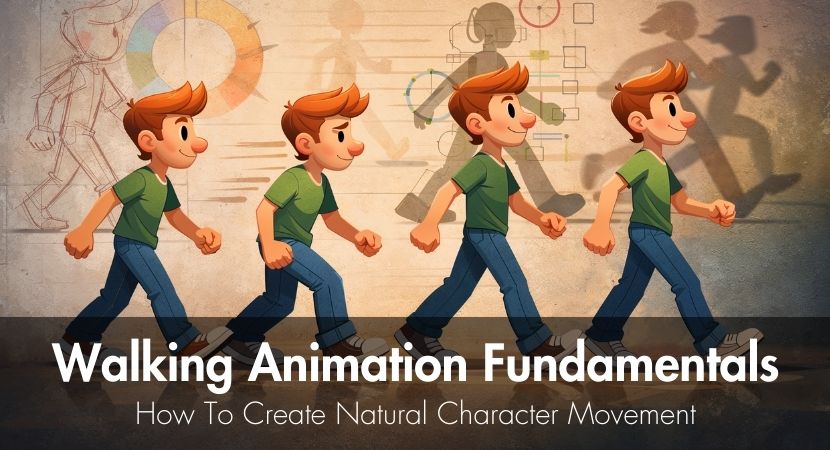
This guide explores the fundamentals behind walk cycle animation, including the core poses, frame timing, common mistakes, and several methods for practicing. By the end, you'll have a clear view on how natural walking motion is created and how to acquire the skills necessary to create convincing characters.
Making a character walk realistically is a fundamental challenge that all 2D or 3D animators someday face. Despite its apparent simplicity, walking animation is one of the most challenging character animation tasks. Timing, weight, rhythm, and subtle body mechanics must all be precisely balanced for a convincing walk. When done effectively, the character is immediately accepted as alive by the viewer. The movement appears artificial and robotic when done the wrong way.
Learning the walk cycle opens the door to comprehending character locomotion for both professionals and students. Characters most frequently walk in animated movies, video games, and movie scenes. Effective animation not only enhances technical proficiency but also demonstrates how motion alone may convey personality, emotion, and physical presence.
We'll first try to answer two common questions:
1. Why are walk cycles every animator's essential exercise?
The walk cycle is sometimes compared by animation educators to a musician's scales. It is both straightforward enough to practice frequently and intricate enough to reveal knowledge shortcomings. Animators who closely examine walking motion start to see how gravity, balance, and forward momentum interact to control each step.
The walk cycle is a perfect exercise for learning timing, spacing, and position relationships because it repeats continuously. Every frame must seamlessly flow into the next while preserving convincing weight changes. Animators rapidly discover that even minor errors in posture or timing can cause the entire motion to seem strange.
2. What separates mechanical movement from believable walking?
Real human movement has tiny imperfections that are absent from mechanical motion. Overlapping motions, weight shifts, minor asymmetries, and modest body rotations are all present in real walking. The arms naturally swing in reaction to the legs, the shoulders compensate, and the hips tilt.
These biological features are captured in a convincing walking animation. Successful animation uses subtle timing and arcs that resemble real physics rather than rigidly repeating the same postures. The illusion of life appears when the body's center of gravity spontaneously moves and weight transfers convincingly from one leg to the other.
When looking for a strong starting point, especially for beginners, this short video from National Geographic stands out as an essential reference. It gives a summary of how the human body works as a network of organs, tissues, and cells that cooperate to maintain life. It describes how the body's 10 main organ systems, including the skeletal, muscular, cardiovascular, and neurological systems, form its fundamental framework, allowing for mobility, communication, and the delivery of nutrients and oxygen. The endocrine, lymphatic, respiratory, digestive, and urinary systems are among the other systems that control internal balance, safeguard the body, and supply energy. These systems work in unison all the time, demonstrating the human body's extraordinary efficiency and complexity.
What Is A Walk Cycle In Animation?
A walk cycle is a looped series of frames or drawings, stitched together so that a character appears to keep walking continuously. Rather than drawing every single step of a long scene, animators create one full stride in place and repeat the loop.
This idea has been around since the beginning of character animation. In order to effectively animate crowds, background figures, and repeating action, Disney animators mostly relied on looping cycles. Productions could save time and resources while maintaining genuine motion by developing a single, well-crafted cycle and repeating it.
Production efficiency is the main cause of the walk cycle loop. Once the positions are created, they can be employed repeatedly in different settings. Because characters in games may stroll for extended periods of time while players explore environments, loops are much more important.
Animating a believable walk cycle is surprisingly challenging, despite its efficiency. Humans observe walking every day and understand how it should look. Even small timing or balance mistakes can cause the motion to seem wrong immediately.
This video, by Alan Becker, nicely explains what a walk cycle is in animation:
Why Is The Walk Cycle The Animator's Most Important Exercise?
The walk cycle evaluates a number of fundamental animation concepts, such as timing, spacing, weight, and balance. Because all of these components must cooperate, the task immediately highlights weaknesses in an animator’s skills.
Professional animation schools often start character animation training with walk cycles. A solid basis for more difficult motions like running, jumping, creeping, or limping is provided to students who successfully complete this exercise.
Walk cycles are a common component of skill evaluations in the animation business. When evaluating demo reels, recruiters frequently pay particular attention to walk cycles since they show whether the animator is familiar with basic motion mechanics.
How Many Frames Does A Walk Cycle Need?
When animated at 24 frames per second, a typical walk cycle consists of 24 frames to finish a complete two-step sequence. Accordingly, two steps are represented by one full second of animation.
Every stage in that cycle takes about 12 frames. A natural walking rhythm that closely mimics actual human movement is produced by this timing.
Frame counts, however, can change based on the tempo and character. While slower or heavier characters might require 16 to 20 frames every step, faster walkers might only need 8 to 10.
The method known as "animating on twos", in which a drawing is kept for two frames rather than one, is also employed by many traditional animators. This means that the animator produces 12 drawings that are shown twice each rather than 24 distinct frames. Because the walking rhythm is maintained even with fewer drawings, walk cycles are very effective with this method.
The Four Key Poses In A Walk Cycle.
The majority of walk cycles are based on four fundamental stances that establish the motion's structure. The rhythm and weight changes that give the walk its organic aspect are established by these positions.
The remaining frames serve as transitions that smooth the motion between these positions once they are established. Animators spend a lot of time honing these four positions before adding more frames because they account for most of the walk's quality.
Contact Pose - Where The Walk Cycle Begins.
One foot contacts the ground in front of the body while the other pushes off behind in the contact stance. The point at which weight starts to shift onto the leading foot is represented by this position. Usually, the back foot gets ready to lift while the front foot lands heel-first. The traditional alternating arm-leg pattern seen in natural walking is produced by the arms swinging in opposing directions to balance the action.
Down Pose - Creating Weight In Walking Animation.
As soon as contact is made, weight shifts to the leading foot, causing the torso to slightly descend. This is known as the down pose. In order to absorb the weight, the supporting leg's knee bends slightly as gravity pulls the figure downward. During this stage, the center of mass of the body reaches one of its lowest points.
Passing Pose - The Midpoint of the Walk Cycle.
The trailing leg swings forward and passes the planted leg to create the passing pose. As the other leg advances, the character's weight is now entirely supported by one foot. The hips remain balanced over the supporting foot, and the body begins to rise slightly as momentum carries the character forward.
Up Pose - Adding Lift To Your Walk Animation.
The walk cycle's highest point is represented by the up position. Before getting ready for the following contact posture, the character's body lifts slightly as the supporting leg straightens. The slight bouncing rhythm of natural walking is produced by this upward movement. The animation frequently seems dead and flat without this lift.
How to Add Personality to a Walk Cycle?
Walking animation creates personality by adjusting timing, posture, and amplitude. A confident character may walk with longer strides, a lifted chest, and strong arm swings, while a shy character may walk with hunched shoulders and smaller steps. These subtle adjustments transform basic motion into expressive storytelling.
Walking Animation Examples from Films and Games.
Animated films and video games can give us some excellent references for studying several character walks.
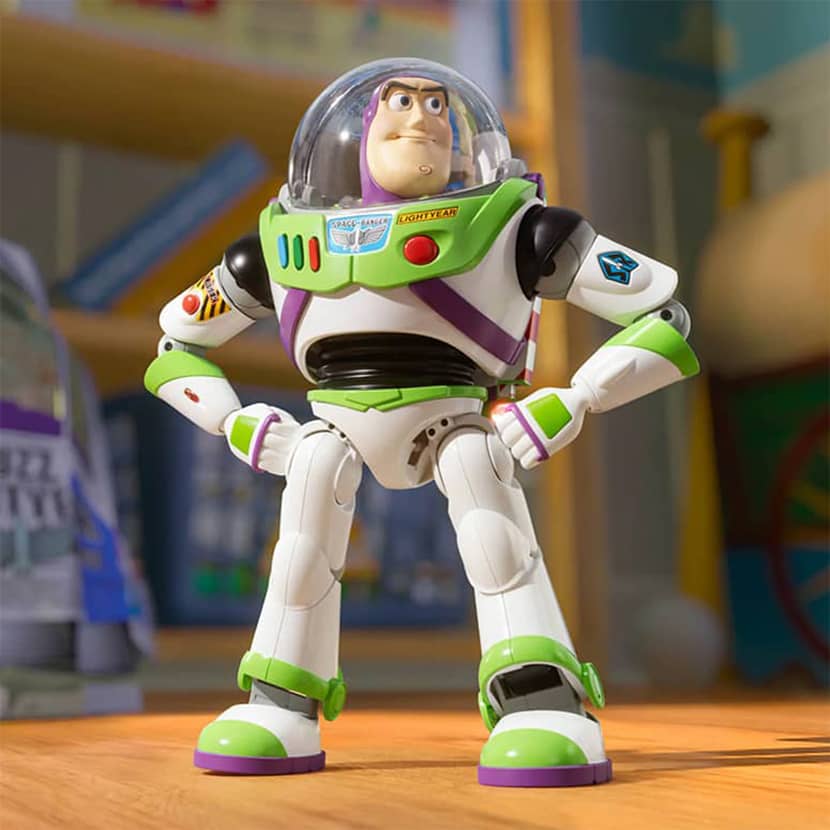
Buzz Lightyear in Toy Story walks confidently, with an exaggerated chest-forward posture and powerful arm swings. His movements show his heroic personality.
Carl Fredricksen in Up depicts a fatigued, old walk with shorter steps, slower timing, and a little forward lean that conveys age and exhaustion.
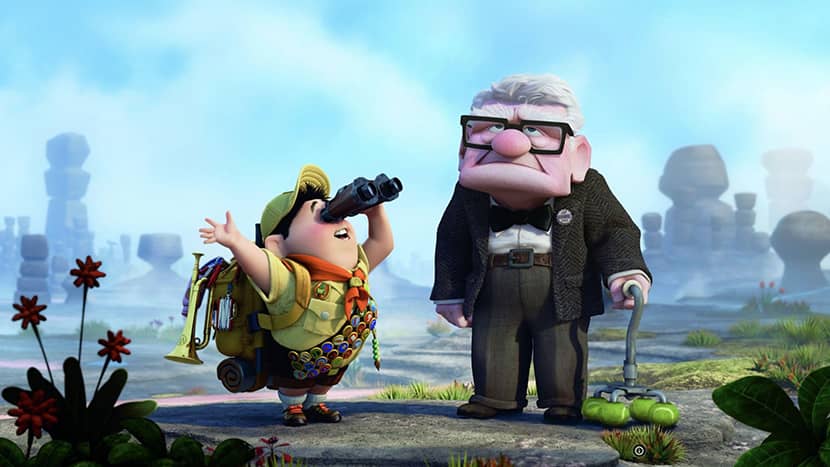
Image Credits: IMDB
In The Lord of the Rings games, Gollum moves with a crouching, sly walk, emphasizing low posture and irregular pace to portray his secretive nature.
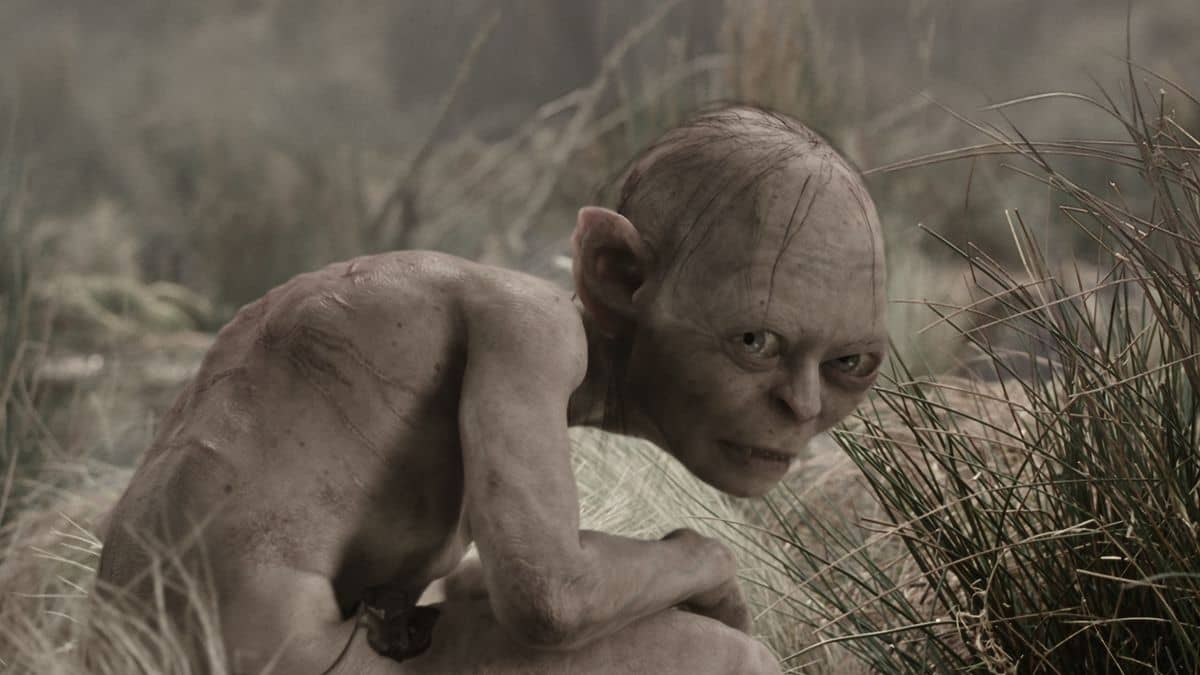
Image Credits: Movienewsnet.com
Many characters in Hotel Transylvania walk with exaggerated bounces, which enhances humorous timing and stylish animation.

Walk Cycle Variations For Different Emotions.
Characters' walk is greatly influenced by their emotions. While melancholy can lead to slower mobility and hunched posture, happiness often ends in lighter steps and faster pacing.
Heavy stomping steps can be used to express anger, whereas timid or uneven pacing can be used to express uncertainty. Animators can convey emotional states without using language thanks to these variations.
Walk Cycle vs Run Cycle: What's the Difference in Animation?
Walking always maintains at least one foot in contact with the ground, which is the main distinction between a walk cycle and a run cycle.
A flying phase is introduced during running, during which both feet momentarily lift off the ground. Compared to walking, this aerial moment produces a quicker and more dynamic motion.
Additionally, there are differences in foot contact between the two movements. While run cycles frequently land on the ball of the foot, walk cycles usually start with the heel hitting the ground first.
Timing also fluctuates dramatically. While run cycles are quicker and typically finish in 12 to 16 frames, walk cycles typically last 24 frames per loop.
Common Walk Cycle Mistakes And How To Avoid Them?
Sliding feet are among the most prevalent issues in walking animation. When the planted foot moves across the ground rather than staying stationary, something happens. This problem is resolved by making sure the contact foot is still during its planted phase.
Perfectly even timing is another error that results in robotic movement. Natural walking has small spacing differences that give the movement vitality.
When two arms or legs move simultaneously and identically, this is known as twinning. More natural motion can be produced by slightly off-setting the timing of these motions.
A walk cycle might also be ruined by stiff upper bodies. Arm swings that balance the legs, head movement, and torso rotation are all part of real walking.
Lastly, characters may seem unrealistic if weight is ignored. A heavier character should have a slower pace and deeper down stances than a light one.
Walk Cycle Techniques In 2D Vs 3D Animation.
Traditional 2D animation requires artists to draw each posture separately and keep total control over every frame. This makes it possible to manipulate silhouettes and lines of action precisely.
In 3D animation, the program interpolates the frames between poses as the animator positions a digital setup. Although this increases production speed, if default interpolation parameters are not changed, mechanical motion may also be introduced.
Improving interpolation curves so that motion follows natural arcs rather than strict linear transitions is a major difficulty in 3D animation.
In the end, both strategies depend on the same fundamental ideas of balance and weight distribution. The animator needs to know how real bodies move, whether they are posing rigs or drawing frames.
Rendering times might rise dramatically in production settings where several figures execute intricate walk variations. That's where cloud rendering services like RebusFarm make a real difference, allowing studios and 3D artists to handle heavy workloads efficiently and keep final sequences flowing smoothly during the final phases of production.
How to Practice Walk Cycle Animation.
The most dependable method for enhancing walk cycle animation is practice. A basic side view, which clearly illustrates the movement of legs and body weight, is a good place for beginners to start.
Before introducing intricate character designs, it is helpful to separate the mechanics of motion using a stick figure or basic forms.
You can also get useful reference material by recording yourself walking. Slowing down the footage reveals subtle weight shifts and timing details that are difficult to notice in real time.
Animators frequently go through a series of exercises, starting with a simple walk and progressively experimenting with slower, quicker, and personality-driven versions.
Learning can also be accelerated by examining professional animation frame by frame. Many animators use well-known walk cycles from movies or video games to practice timing.
Those working in 3D may also explore automated tools and rigs. For example, beginners experimenting with character animation often start with platforms such as Mixamo before refining their skills manually. The RebusFarm guide "How to Use Mixamo with Blender: Full Beginner Guide" offers a practical introduction to this workflow.
Additionally, artists exploring character animation may benefit from understanding the strengths of different software environments. The comparison article "Blender or Maya: Which 3D Tool Should You Choose?" provides useful insight for choosing the right animation tool.
Frequently Asked Questions.
What is the easiest software for learning walk cycle animation?
Blender, Maya, and Adobe Animate are tools that are suitable for beginners. Because it is free and provides professional animation capabilities, Blender is especially well-liked. Before progressing to more intricate character setups, many novices begin with basic rigs.
How long should it take a beginner to animate a walk cycle?
For beginners, creating a basic walk cycle takes several hours or even a few days. As experience grows, animators can complete cycles much faster while achieving better quality.
Can I use motion capture instead of animating walk cycles manually?
Realistic movement data can be obtained by motion capture, particularly in game creation. However, as mocap frequently necessitates cleanup and artistic modifications, comprehension of manual animation is still crucial.
Why does my walk cycle look robotic even with all four key poses?
Robotic movement often results from incorrect timing or lack of natural arcs. Adjusting spacing, refining body rotation, and introducing subtle asymmetry usually improve the final result.
Should I animate the arms at the same time as the legs?
Most animators block the legs first to establish the walking rhythm, then add arm movement afterward. This allows the primary motion to remain clear and balanced.
Can I loop a walk cycle for games or background characters?
Yes. Looping walk cycles are usually used in games and background animation because they allow characters to move continuously without requiring entirely new animations.
Walk Cycle Animation Tips To Remember.
An animator's ability to master walk cycles indicates how well they grasp the principles of motion. Timing and spacing are what give the animation life, while the four fundamental poses offer the structural framework.
The most important lesson is that personality emerges from how a character walks. Even small changes in stride length, timing, and posture can convey humor, confidence, weariness, or emotion.
Animators eventually gain the capacity to create characters that feel realistic and alive through regular practice, close observation, and study of actual movement. Mastery of the walk cycle serves as the cornerstone for all character animation techniques.
Thank you for reading this guide. We hope it helped you perceive walk cycles as a basic building block for developing credible, expressive, and natural character movement rather than just as a novice exercise. Animators should always concentrate on honing their knowledge of posture, weight, and rhythm, practicing confidently, and consistently improving their capacity to create lifelike digital characters.
Kind regards & Keep rendering! 🧡

About the author
Vasilis Koutlis, the founder of VWArtclub, was born in Athens in 1979. After studying furniture design and decoration, he started dedicating himself to 3D art in 2002. In 2012, the idea of VWArtclub was born: an active 3D community that has grown over the last 12 years into one of the largest online 3D communities worldwide, with over 160 thousand members. He acquired partners worldwide, and various collaborators trusted him with their ideas as he rewarded them with his consistent state-of-the-art services. Not a moment goes by without him thinking of a beautiful image; thus, he is never concerned with time but only with the design's quality.